Sometimes when I look at my smartphone, I think, “Do I really need so many apps, notifications, and colorful icons?” I felt the same way one day when I started missing my old Nokia 1280.
That phone had no social media pressure, dozens of notifications, or the habit of checking the screen all the time.
You simply picked up the phone, dialed a number, checked a message, and that was it.
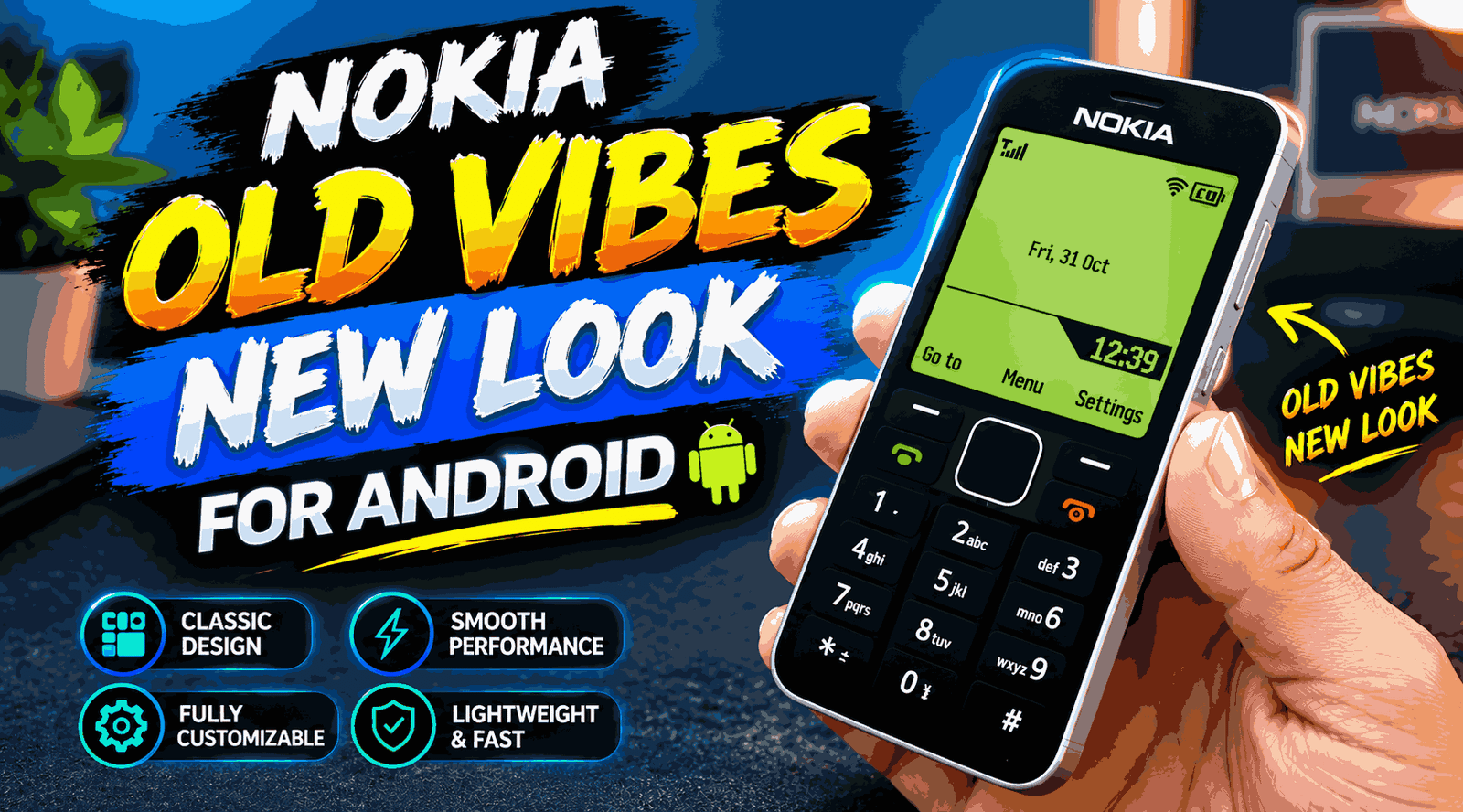
To bring back that simple experience, I tried setting up a Nokia 1280-style launcher on my Android phone. The original Nokia 1280 software cannot literally be installed on Android, but with some launchers and customization options, you can make your Android interface look quite similar to that classic simple-phone style.
The interesting thing is that you do not need to root your phone or make complicated modifications for this setup.
What Is a Nokia 1280-Style Android Launcher?
First, one thing needs to be clear.
This is not an official Nokia 1280 Android launcher. The Nokia 1280 was a classic feature phone, while modern Android phones use a completely different operating system.
The idea here is simply to create a simple interface inspired by the Nokia 1280.
With this setup, you can make the normal colorful Android home screen look much simpler. Large text, basic icons, a minimal home screen, and fewer distractions are the main parts of this experience.
If you like the simple interface of old-school mobile phones, you may find this customization interesting.
Why Did I Like This Setup?
Modern Android phones are powerful, but sometimes that power can become a distraction.
Instagram, Facebook, YouTube, games, shopping apps, and dozens of notifications are always visible on the home screen. You may pick up your phone just to make a call or check a message, but end up spending half an hour on another app.
The most useful part of the Nokia 1280-style launcher for me was its minimal feel.
As soon as you look at the home screen, you can easily see what is important.
I found this setup especially useful in situations where I wanted to use my phone only for basic communication.
For example:
- For calls and SMS
- To reduce distractions while studying
- To keep a simple interface while working
- For a secondary Android phone
- To create a simple home screen for elderly users
- To enjoy the nostalgic feel of old Nokia phones
How to Make Android Look Like a Nokia 1280?
The most important thing you need for this customization is a minimalist Android launcher.
There are different lightweight and minimal launchers available on the Google Play Store. You can choose a launcher that provides a text-based home screen, simple app list, and customizable icons.
Before installing a launcher, it is a good idea to check its recent reviews and permissions.
Step 1: Keep a Backup of Your Existing Home Screen
First, take a screenshot of your current Android home screen.
If your launcher has a backup option, you can also create a backup.
The benefit is that if you do not like the new setup, you can easily return to your old interface.
I ignored this step when I first tried customization, and later I had to spend unnecessary time arranging my home screen again.
It is a small step, but it can be very useful.
Step 2: Install a Minimal Launcher
Open the Google Play Store and search for a minimalist Android launcher.
You will find different types of launchers. Some are text-based, some provide a black-and-white style, while others only show basic applications on the home screen.
For a Nokia 1280-style experience, choose a launcher that has:
- A simple text list
- Large and readable text
- Minimal icons
- A clutter-free home screen
- Easy app search
- A custom wallpaper option
Instead of downloading a random APK from an unknown website, getting a trusted application from the Play Store is generally a safer option.
Step 3: Keep the Home Screen Simple
After installing the launcher, the first thing you should do is clean up the home screen.
Keep only the essential applications.
For example:
Phone
Messages
Contacts
Camera
Settings
Music
That’s it.
You can also add WhatsApp or another frequently used app, but if your goal is a Nokia-style simple interface, there is no real benefit in filling the home screen with 20 apps.
Try a Black Background and Simple Text
One special thing about classic feature phones was their extremely simple display.
You can select a dark or black background in your Android launcher and use simple white or light-colored text.
This will not be the exact Nokia 1280 display because modern Android screens and the original feature-phone display technology are different. However, the overall visual style can still feel quite nostalgic.
If your launcher allows you to adjust the font size, try using a slightly larger font.
This can make the home screen easier to read and make apps easier to select.
You Can Also Add a Nokia-Style Ringtone
If you want to create a more complete nostalgic setup, you can also change the ringtone along with the interface.
However, there is one important point: you do not need to download copyrighted Nokia sounds from random websites.
Using built-in Android notification sounds or legally obtained audio files is a better option.
Choose a ringtone that is loud and clear.
One practical advantage of classic phones was that their ringtones were simple. When a call came in, you could immediately recognize it.
Keep the Lock Screen Simple Too
If your Android phone supports lock-screen customization, you can also keep it minimal.
Remove unnecessary widgets and shortcuts.
Your goal is to make the phone less complicated, so you do not need to use every customization feature available.
Sometimes, the “less is more” approach simply feels better.
Does This Turn Your Android Phone Into a Feature Phone?
No.
This is a very important point to understand.
A launcher only changes the visual interface of Android. Your phone remains an Android phone.
If you have WhatsApp, YouTube, Chrome, and games installed, those apps will still be available unless you uninstall them yourself.
That is what makes this setup interesting. You can keep the functionality of a modern smartphone while making the home screen much simpler.
In other words, you can have a smartphone when you need it and a simple phone-style interface the rest of the time.
Does a Nokia 1280-Style Launcher Make the Phone Faster?
You should not have unrealistic expectations here.
If the launcher is lightweight and uses fewer animations, widgets, and heavy visual effects, some phones may feel more responsive.
But installing a launcher does not magically make your phone’s processor faster.
If your device is already slow, factors such as storage, background apps, RAM usage, and software updates can also affect performance.
So, do not trust claims like “Install this launcher and your phone will become twice as fast.”
What Effect Can It Have on Battery Life?
A simple launcher does not automatically provide a dramatic improvement in battery life.
However, if you remove widgets, animated wallpapers, and unnecessary background-heavy customization, overall resource usage may decrease in some situations.
Battery performance depends on your phone model, Android version, screen brightness, network connection, and installed apps.
In my experience, the bigger benefit of a minimal interface is not battery life but phone usage habits.
When the home screen is simple and boring, you may feel less tempted to unlock your phone every two minutes.
One Unexpected Benefit: Fewer Distractions
This was the most interesting thing I noticed while trying this setup.
When colorful app icons and social media shortcuts are not directly in front of you, your phone can feel a little less entertaining.
And honestly, sometimes that is a good thing.
If you are studying and only want access to the calculator, notes, calls, and messages, a minimal launcher can be quite practical.
You do not need to delete your apps. Simply remove them from the main home screen.
Common Mistakes to Avoid
1. Installing Random APKs
Do not download a launcher APK from an unknown website just to get a Nokia-style look.
Check the trusted app store and developer information before installing anything.
2. Adding Too Much Customization
If you want to create a simple Nokia-style interface and then add 15 widgets, an animated wallpaper, and dozens of shortcuts, you are defeating the whole purpose.
Keep it simple.
3. Ignoring Permissions
Read the permissions requested by the application before installing a launcher.
If a simple launcher asks for unnecessary permissions, think carefully before installing it.
4. Confusing It With Original Nokia Software
It would be a mistake to think that an Android launcher is the original Nokia 1280 software.
It is simply an inspired customization.
5. Not Creating a Backup
Before customizing your phone, keeping a backup or screenshots of your current home screen can save you a lot of time later.
Which Android Users May Find This Setup Useful?
In my opinion, this customization can be interesting for people who want a smartphone but prefer to keep its interface simple.
Students can try it to reduce distractions.
Parents or older family members may also find a large-text and simple app layout helpful.
And if you simply miss old Nokia phones, this can be a fun weekend customization project.
Just keep your expectations realistic. Your Android phone will not actually become a Nokia 1280. You are only customizing its home-screen experience to look more like a classic feature phone.
Final Thoughts
The simplicity of the Nokia 1280 had its own charm. Modern smartphones have hundreds of features, but not every feature is necessary all the time.
For me, the main benefit of a Nokia 1280-inspired Android launcher was simplicity, rather than just nostalgia. A clean home screen, fewer distractions, and quick access to important apps can be enough in many situations.
If you want to try this idea, do not start with complicated modifications. Install a trusted minimalist launcher, clean up your home screen, use a simple wallpaper and readable text, and use it normally for a few days.
At first, the interface may feel a little boring. But after some time, you may find that this simple and quiet interface is actually one of the most relaxing things about your smartphone.