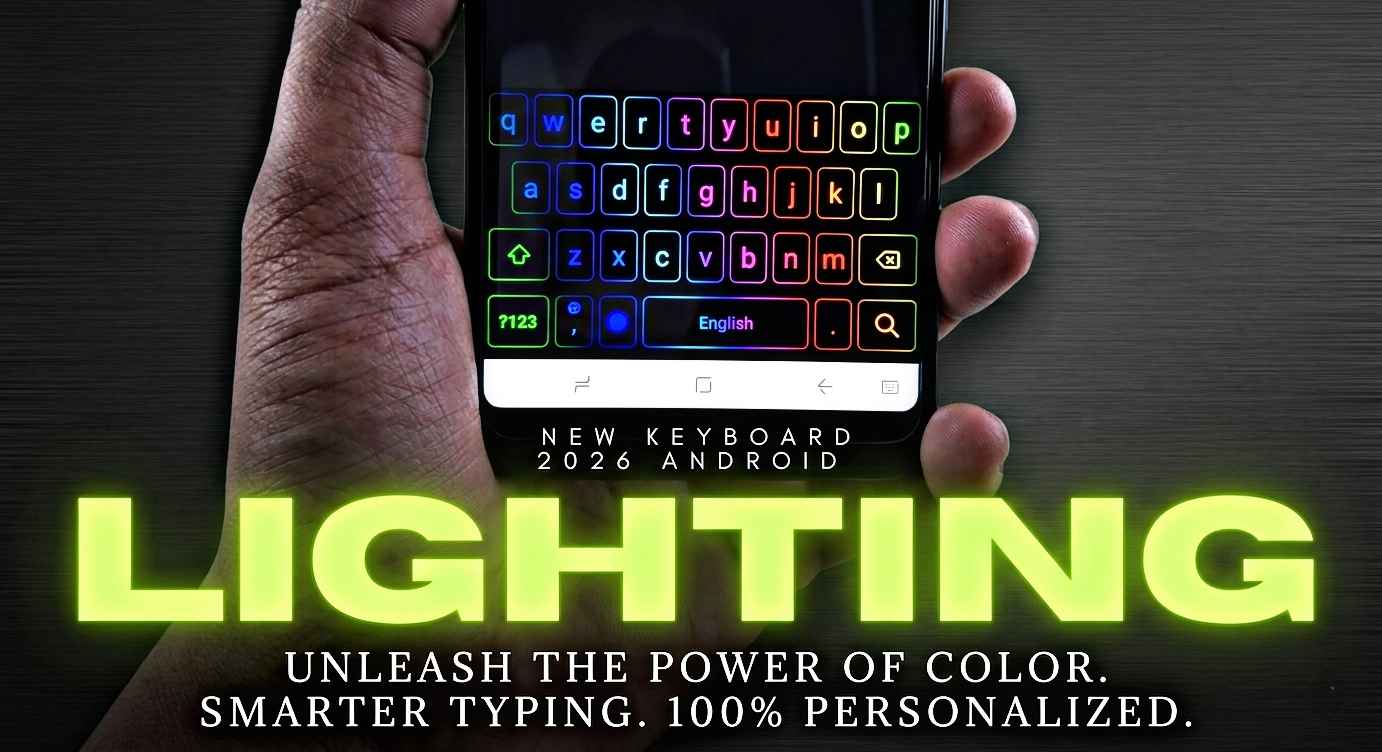
Have you ever seen someone typing on their phone with a colorful glowing keyboard and wondered, “How did they get that?” I had the exact same reaction a few months ago.
My Android keyboard looked boring. It was the same plain design I had been using for years. Since I spend a lot of time chatting on WhatsApp, replying to emails, and posting on social media, I wanted something that looked more fun and modern.
At first, I downloaded random keyboard apps from the Play Store without checking reviews. Some were full of ads, while others slowed down my phone. After trying several options, I finally found a few lighting keyboards that looked amazing and worked smoothly without causing problems.
If you’re looking for the best fancy lighting keyboard for your Android phone in 2026, this guide will help you choose the right one.
Why People Love Lighting Keyboards
A keyboard is something we use every day. Whether you’re texting friends, searching on Google, or posting on social media, you’re constantly typing.
A lighting keyboard adds:
- Colorful RGB effects
- Animated keypress lighting
- Stylish themes
- Personalized backgrounds
- Better visual experience
- A modern gaming-style look
Many users enjoy the feeling of typing on a keyboard that matches their personality rather than using the default boring layout.
My Experience Using Fancy Keyboard Apps
When I first started testing lighting keyboards, I expected them to drain battery quickly.
Surprisingly, most modern keyboard apps are optimized well. The battery impact was very small on my Android device.
What I noticed most was how much more enjoyable typing became.
Friends even asked how my keyboard looked so different during screen recordings and screenshots.
However, I also learned that not every flashy keyboard is worth installing.
Some apps:
- Show too many advertisements
- Request unnecessary permissions
- Lag while typing
- Display excessive animations
That’s why choosing the right keyboard matters.
Best Fancy Lighting Keyboards for Android in 2026
1. Gboard with Custom RGB Themes
Many Android users already have Gboard installed.
What surprised me was how customizable it has become.
Features:
- Custom color themes
- Gradient backgrounds
- Personal photo backgrounds
- Fast typing performance
- Voice typing support
- Excellent autocorrect
While it doesn’t offer extreme RGB effects, it remains one of the most reliable choices.
Best for:
- Everyday users
- Students
- Professionals
- Fast typists
2. LED Keyboard RGB Lighting
This keyboard is designed specifically for users who want colorful lighting effects.
Features:
- RGB animations
- Neon themes
- Edge lighting effects
- Multiple font styles
- Emoji support
The first time I used it, the glowing key animations looked almost like a gaming keyboard on a PC.
Best for:
- Gamers
- Social media users
- People who enjoy customization
3. Facemoji Keyboard
Facemoji has become one of the most popular keyboard apps in recent years.
What I liked most was the huge theme collection.
Features:
- RGB keyboard themes
- Animated effects
- Thousands of emojis
- Custom stickers
- Personalized backgrounds
I used it for several weeks and found the typing experience surprisingly smooth.
Best for:
- WhatsApp users
- TikTok creators
- Instagram enthusiasts
4. Kika Keyboard
Kika offers a good balance between style and functionality.
Features:
- Fancy lighting effects
- Neon themes
- GIF support
- Swipe typing
- Multiple language support
Unlike some flashy keyboard apps, Kika still feels practical for daily use.
Best for:
- Multi-language users
- Daily messaging
- Stylish customization
5. LED Keyboard – Colorful Backlit Themes
If your goal is maximum visual impact, this app deserves attention.
Features:
- Dynamic lighting
- RGB color transitions
- Neon key effects
- Animated themes
- Creative layouts
This keyboard looks especially impressive at night.
Best for:
- Users who love visual customization
- Fans of gaming aesthetics
How to Install a Fancy Lighting Keyboard
If you’ve never changed your Android keyboard before, the process is simple.
Step 1: Open Google Play Store
Search for your preferred keyboard app.
Step 2: Install the App
Tap the Install button and wait for the download to finish.
Step 3: Open the Keyboard App
Most keyboard apps provide an automatic setup guide.
Step 4: Enable the Keyboard
Go to:
Settings → System → Languages & Input → On-Screen Keyboard
Enable the newly installed keyboard.
Step 5: Set as Default
Choose the new keyboard as your default typing option.
Step 6: Apply a Lighting Theme
Open the keyboard settings.
Browse:
- RGB themes
- Neon effects
- Animated designs
- Custom backgrounds
Choose the one you like.
Within seconds, your Android keyboard will look completely different.
Best Settings for a Smooth Experience
One mistake I made initially was enabling every animation available.
The keyboard looked cool, but typing became slightly slower.
After experimenting, I found the ideal balance.
Recommended settings:
- Medium animation speed
- Light vibration feedback
- Auto-correction enabled
- Sound effects optional
- Moderate brightness
This combination keeps the keyboard attractive without affecting performance.
Can Lighting Keyboards Slow Down Your Phone?
This depends on your device.
On newer Android phones:
- Performance impact is usually minimal
- Animations remain smooth
- Battery usage stays low
On older devices:
- Heavy RGB effects may cause lag
- Excessive animations can increase battery usage
If your phone feels slow, switch to a simpler lighting theme.
Most keyboard apps allow you to reduce effects while keeping the stylish appearance.
Common Mistakes to Avoid
Installing Unknown Apps
Always download keyboards from trusted developers on the Play Store.
A keyboard can access everything you type, so security matters.
Ignoring Permissions
Read permission requests carefully.
If an app asks for unusual permissions unrelated to typing, be cautious.
Using Excessive Animations
More effects do not always mean a better experience.
Too many animations can become distracting during everyday typing.
Skipping Reviews
Before installing any keyboard app, spend a minute reading recent user reviews.
This simple step can help avoid buggy or poorly maintained apps.
Who Should Use a Fancy Lighting Keyboard?
A lighting keyboard isn’t necessary for everyone.
But it can be great for:
- Students
- Gamers
- Content creators
- Social media users
- Android customization fans
- Anyone bored with the default keyboard
If you enjoy personalizing your phone, a colorful keyboard is one of the easiest ways to make your device feel fresh and unique.
Are Fancy Keyboards Safe?
Most popular keyboard apps are generally safe when downloaded from trusted sources.
However, because keyboards process what you type, it’s smart to:
- Install well-reviewed apps
- Keep apps updated
- Avoid unknown APK files
- Check privacy policies
- Use trusted developers
Security should always be more important than visual effects.
Final Thoughts
After trying multiple lighting keyboard apps on Android, I learned that the best option isn’t always the one with the most animations. A great keyboard should look attractive while still providing fast, accurate typing.
For most users, Gboard remains the safest and most reliable choice. If you want a stronger RGB gaming look, LED Keyboard RGB Lighting or Facemoji Keyboard can add a fun visual upgrade without making your phone difficult to use.
A fancy lighting keyboard won’t transform your Android phone overnight, but it can make everyday typing feel more enjoyable. Sometimes a small customization is all it takes to make your device feel brand new again.